Ftp uploads
When you need to upload big files it is better to use an ftp connection to ensure that the content is uploaded properly because you have resume-retry options so it helps on bad network environments.
Configure FTP
To use the ftp connection you need an ftp client installed on your machine like Filezilla
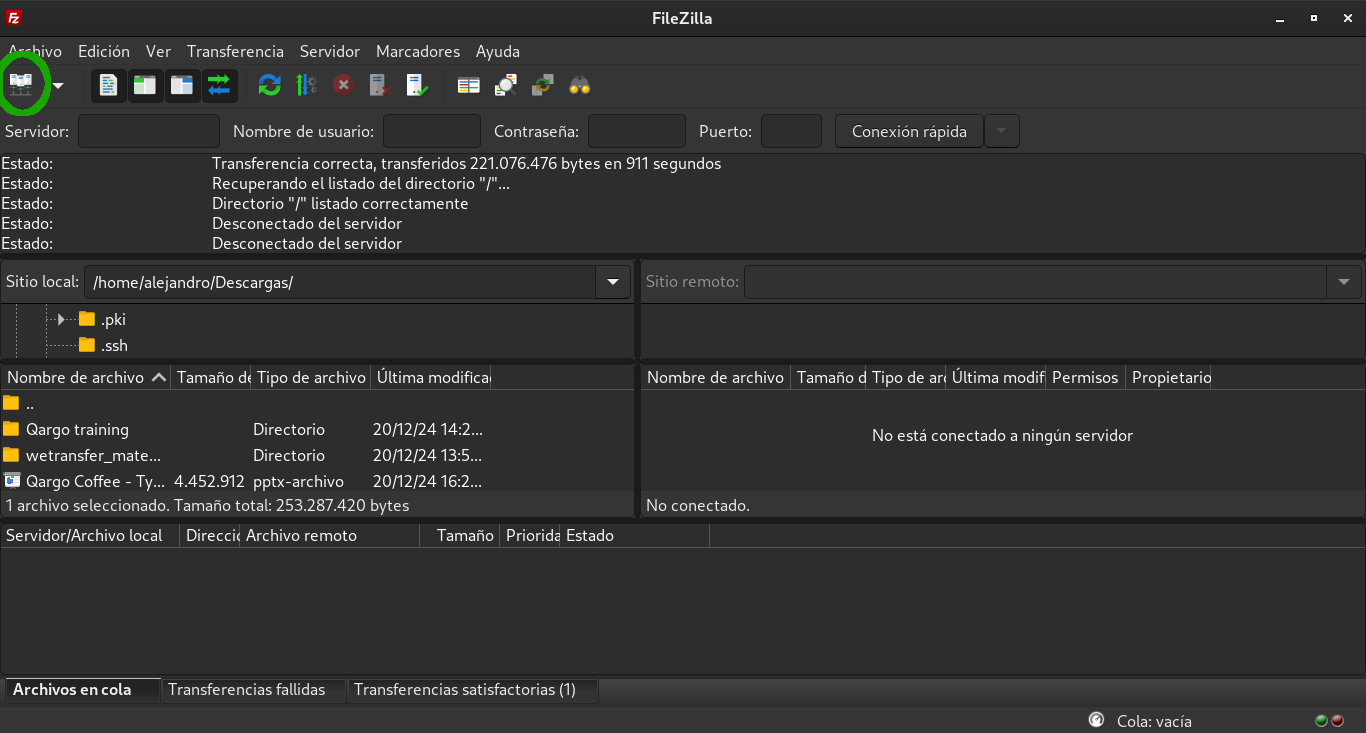
After the installation you need to configure a new site. First click on the top left icon to open the sites manager window.
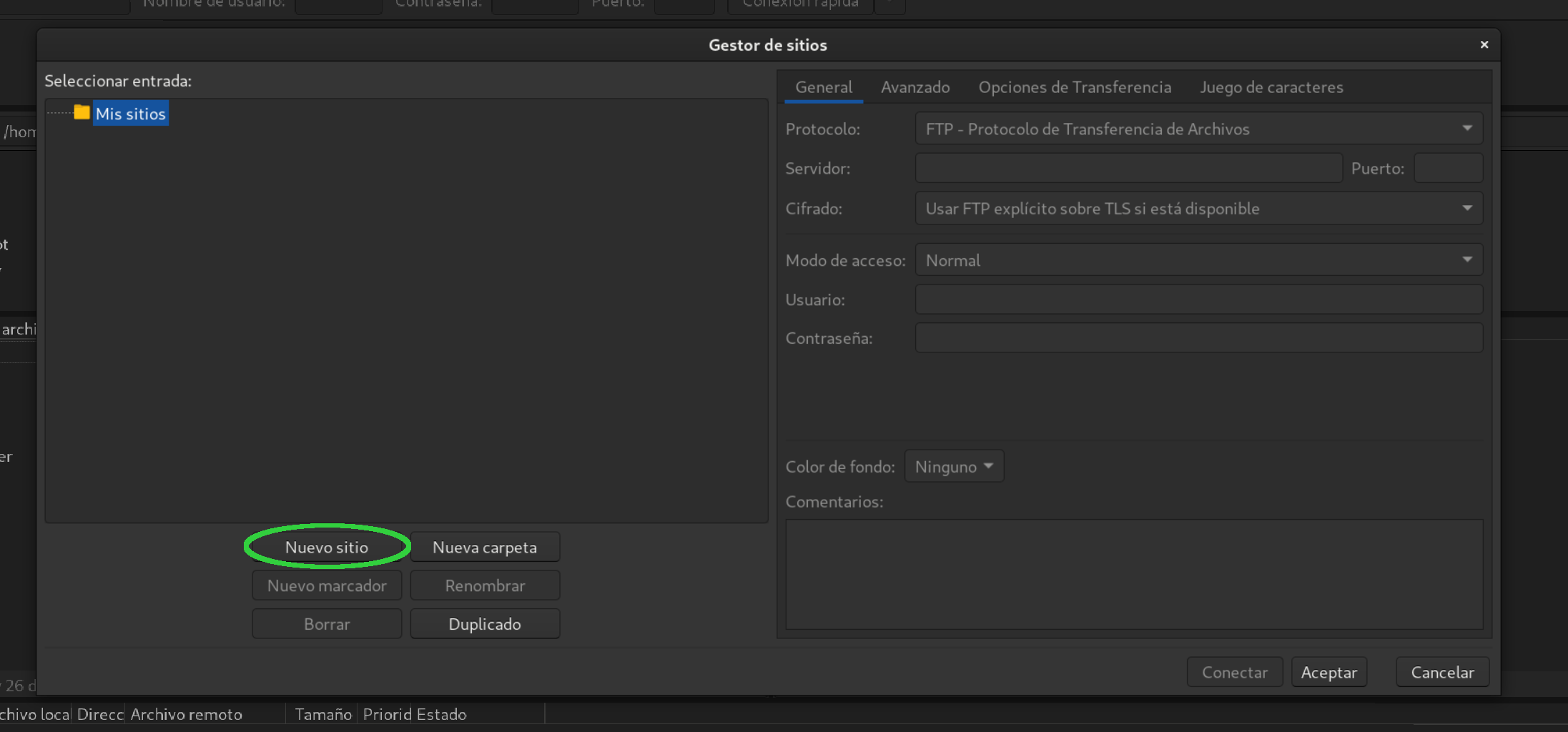
It show a window to configure sites. Click on new site button and enter the name of the site.
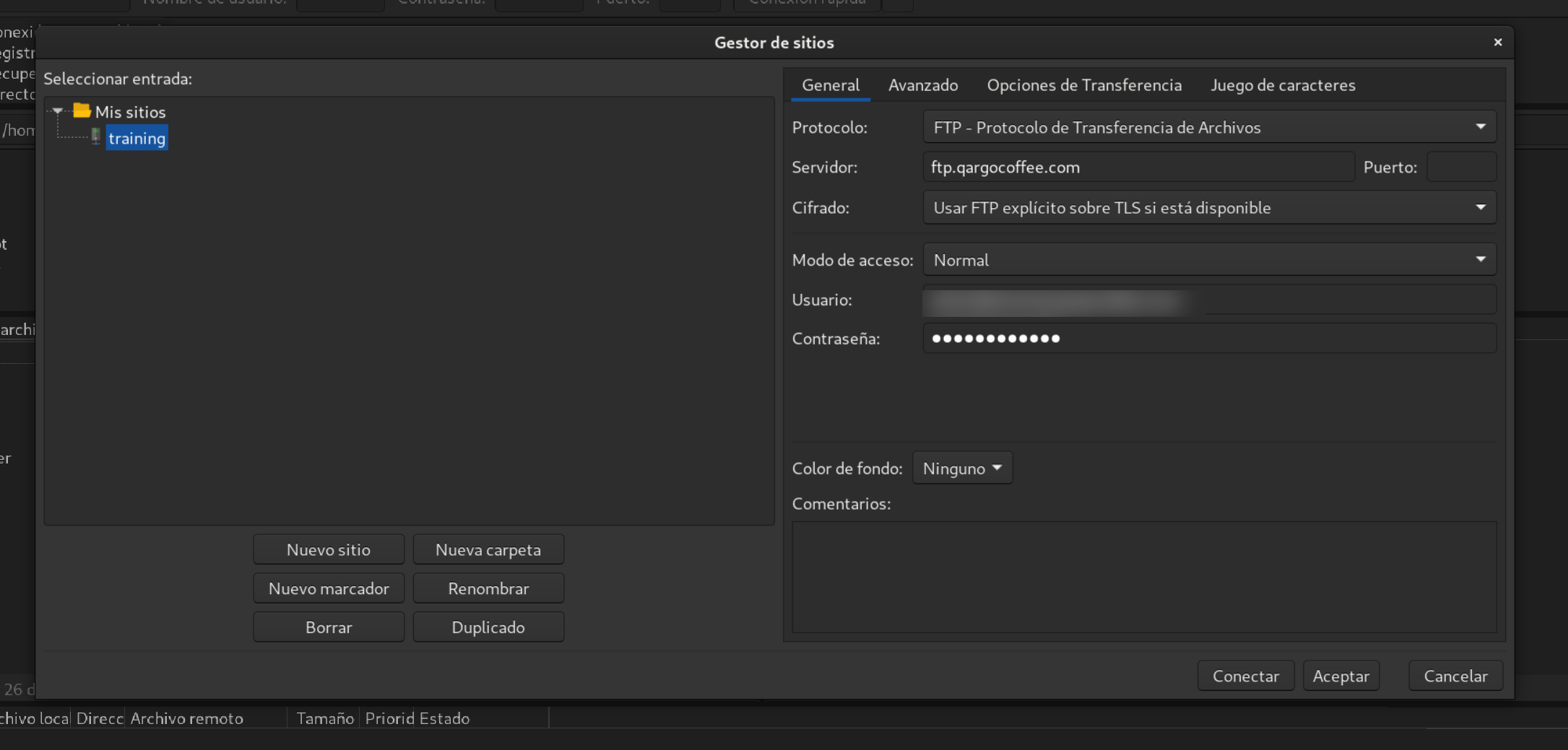
Then include the connection info:
- Server: ftp.qargocoffee.com
- Username: yourusernamecredentials
- Password: yourpasswordcredentials
After that click on Accept button to store the information.
Then click on the arrow icon o the right of the connections icons and click on training (or the name you used for the site).

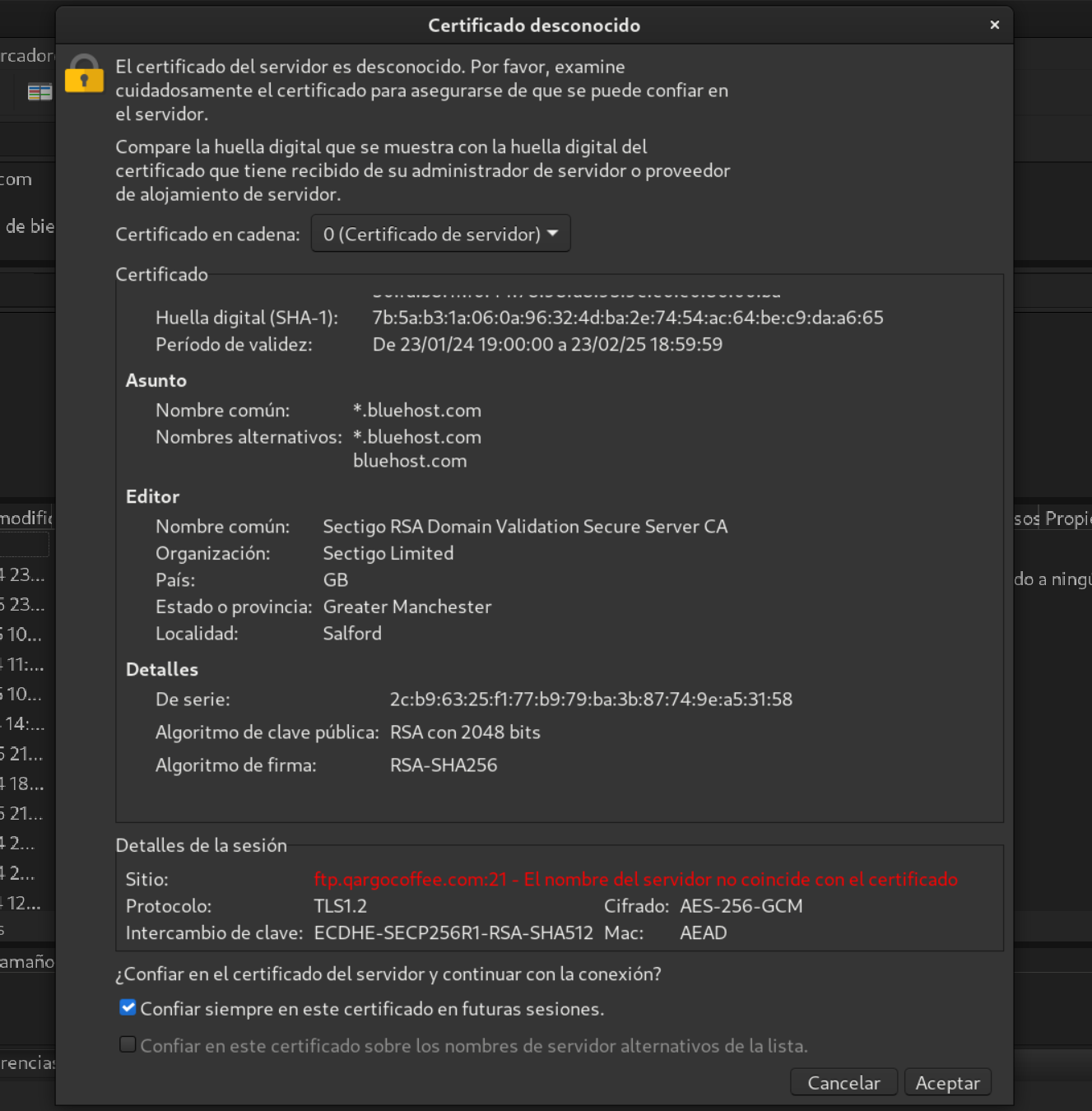
A window to accept the connection certificate will appear, check the always trust certificate checkbox and click on Accept.
If everything went right you have a window with your computer files on the left and the server on the right. You just need to drag and drop the video file to the server as shown in the picture.
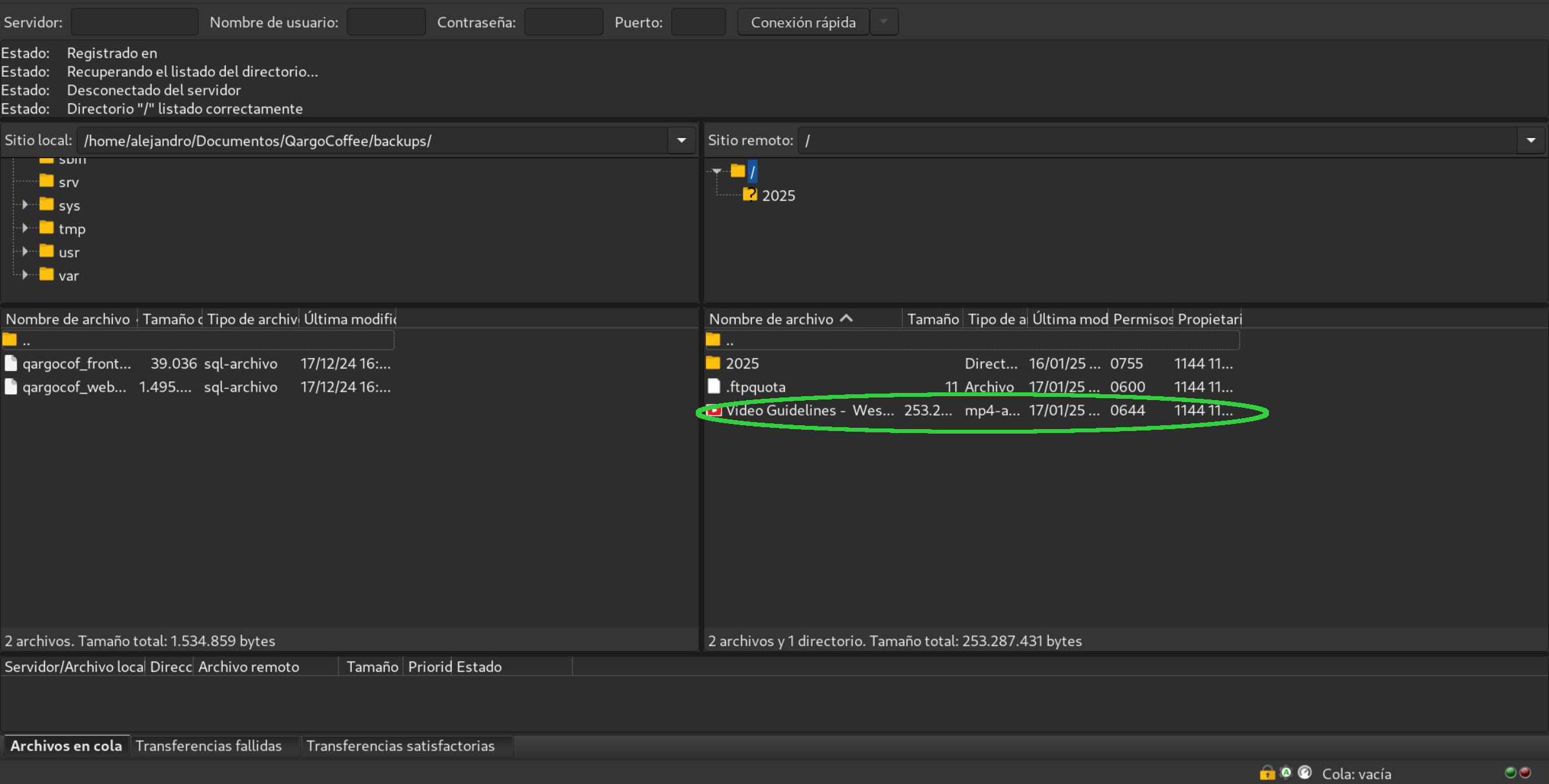
In this case we uploaded the Video Guidelines for Westerville.
After that you need to link the video to the wordpress admin let's see how to do that on the next section.