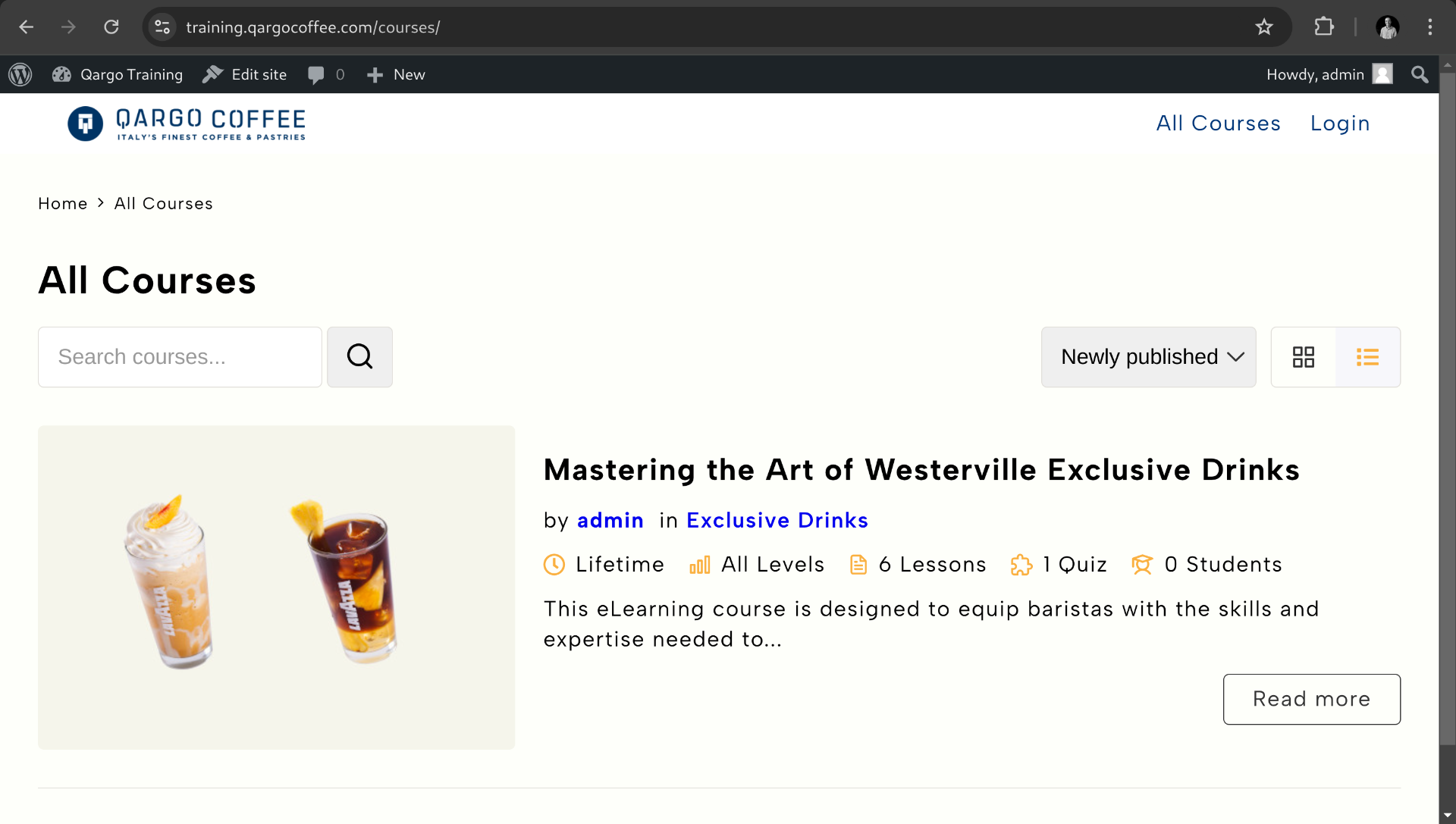
Complete course information
After creating all the lessons and the quiz we can complete the course to get something like this.
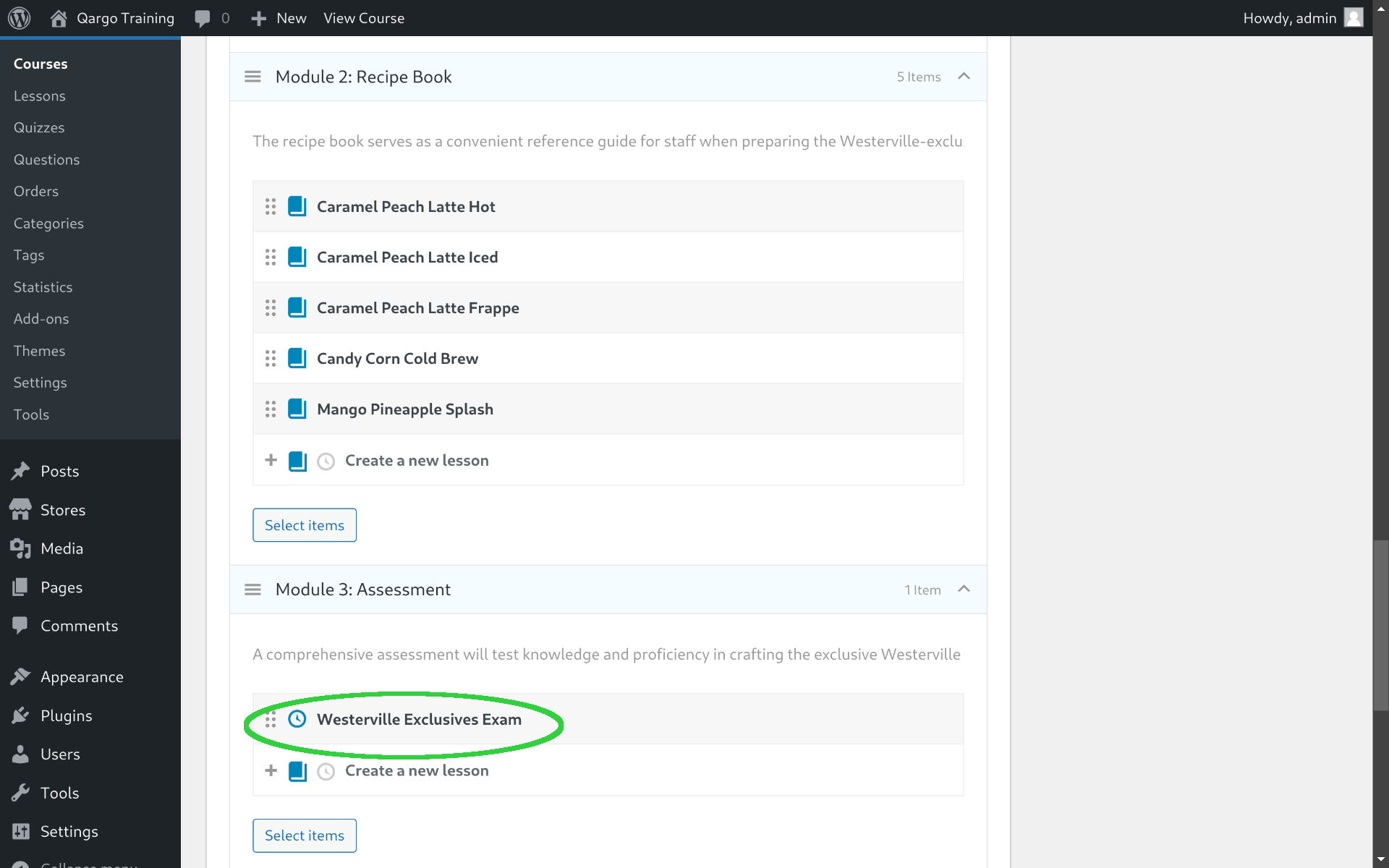
At this point we got a course with the following content:
Module 1: Training Video
- Guidelines video: a recap video with all the recipes condensed
Module 2: Recipe book
- Caramel Peach Latte Hot
- Caramel Peach Latte Iced
- Caramel Peach Latte Frappe
- Candy Corn Cold Brew
- Mango Pineapple Splash
Module 3: Assessment
- Westerville Exclusives Exam
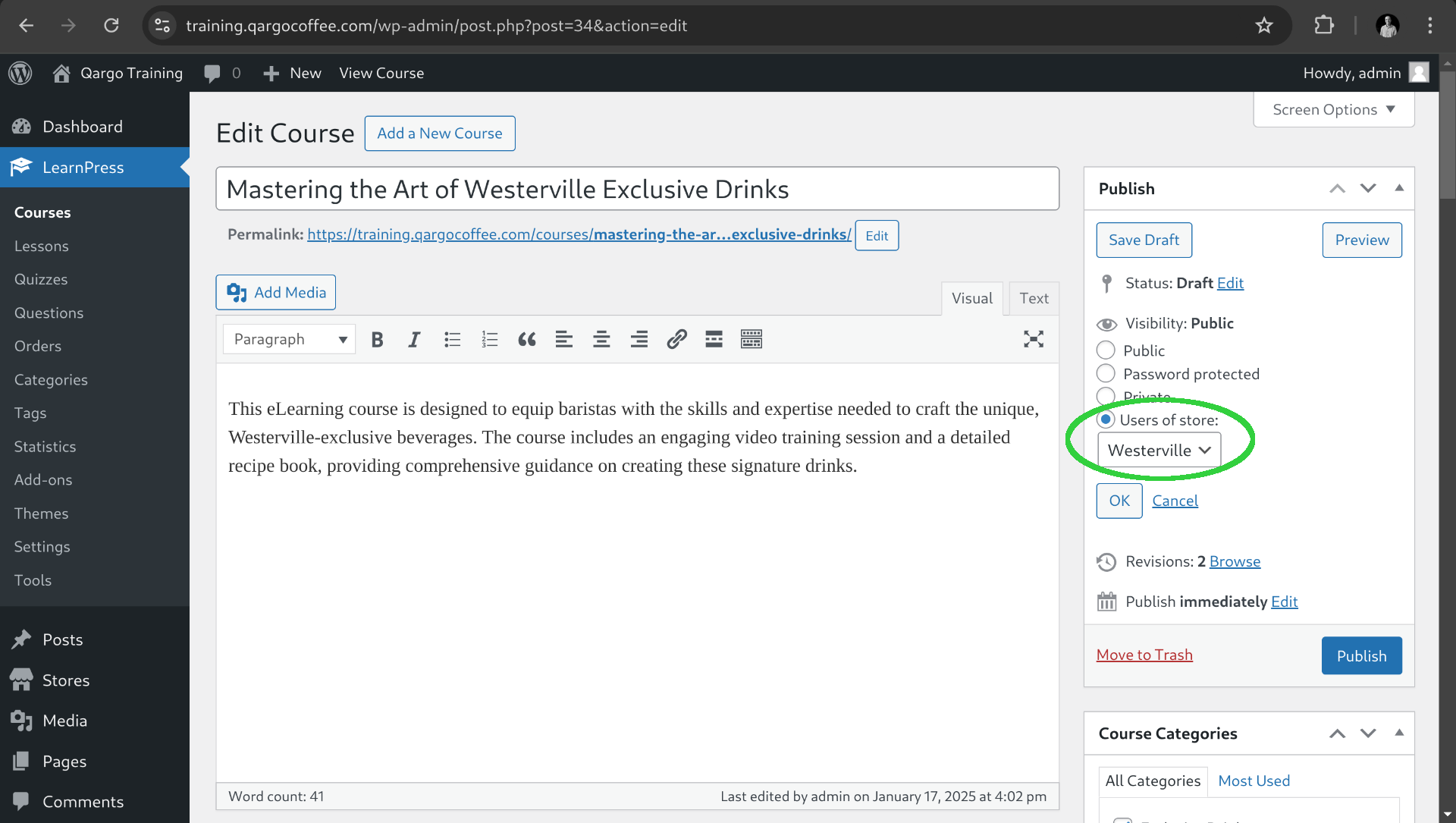
Change visibility and publish the course
Finally after completing the course information we want in this case to publish the course only for users that work on the Westerville store. To do that, on the publish card we change the visibility option to "Users of store" and select the corresponding store and click OK.
Now we can publish the course and it will be on the courses listed.