Course content
First we need to complete the general settings information for the course
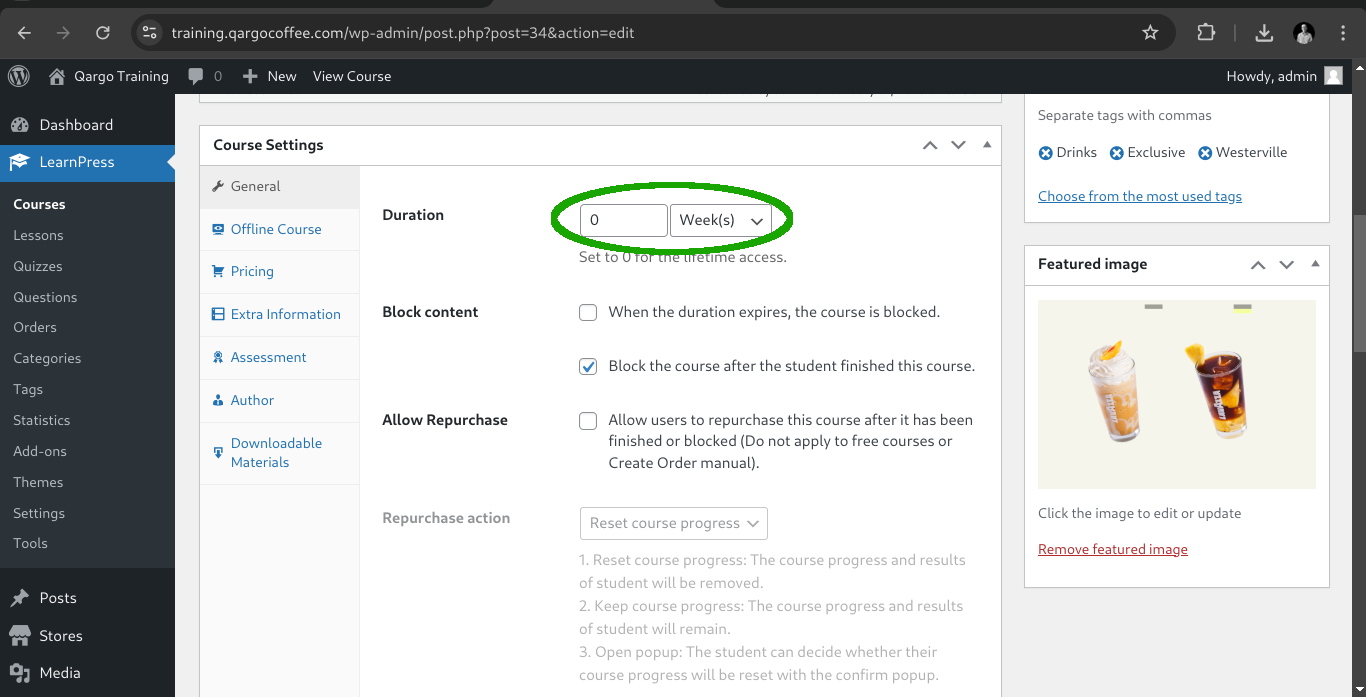
On course duration we need to set the value to 0 for lifetime access.
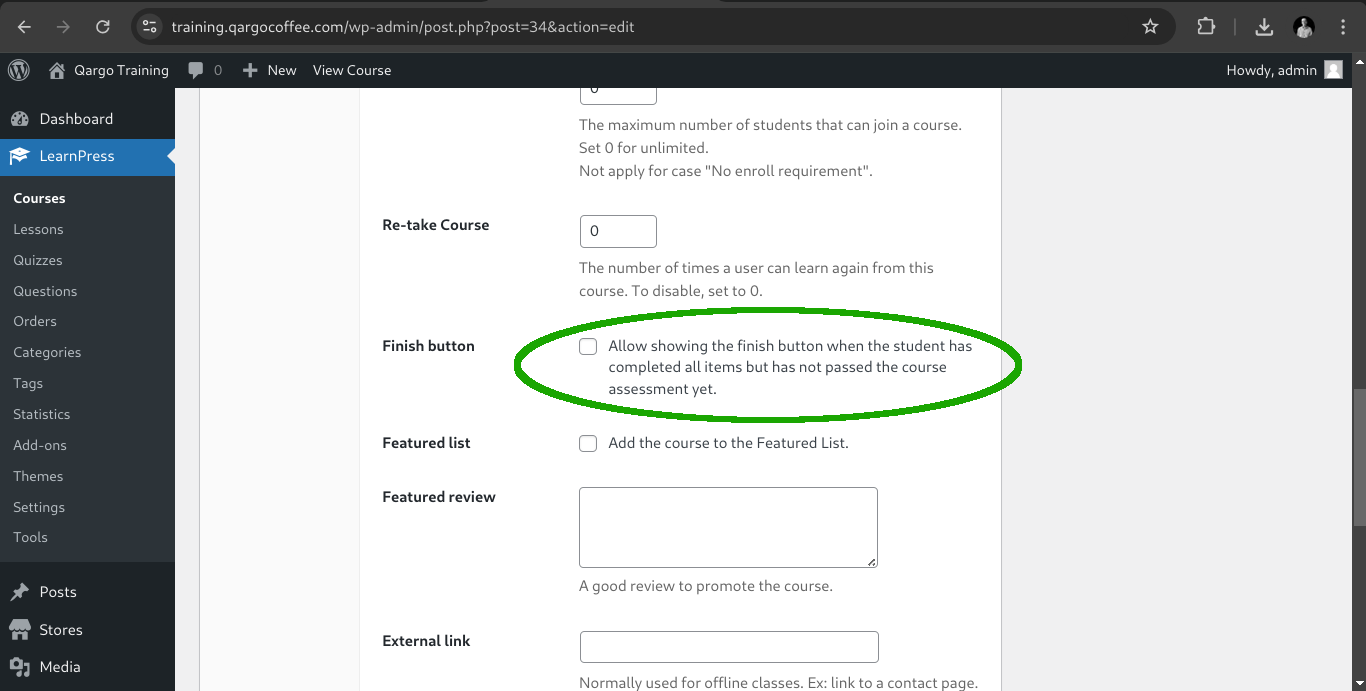
Then let's disable the finish button for not completed assessments on courses.
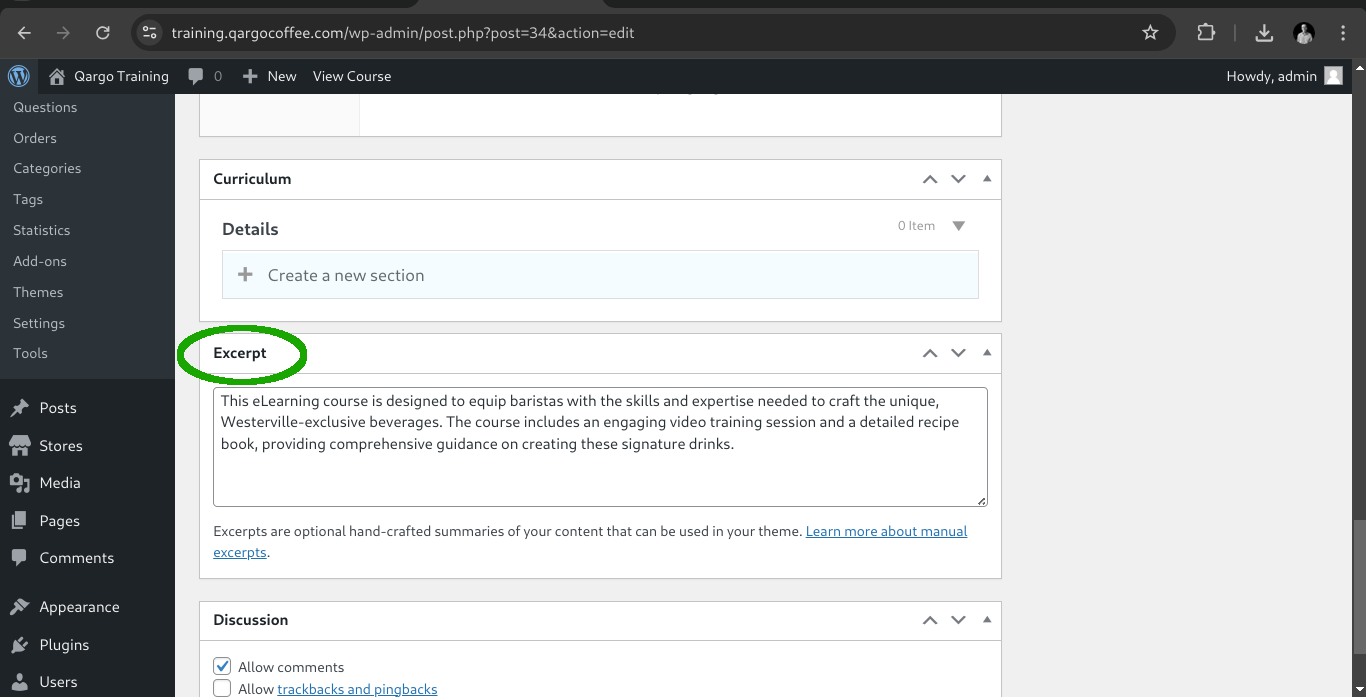
Also we can include the excerpt information to display on the listed courses page.
Featured courses
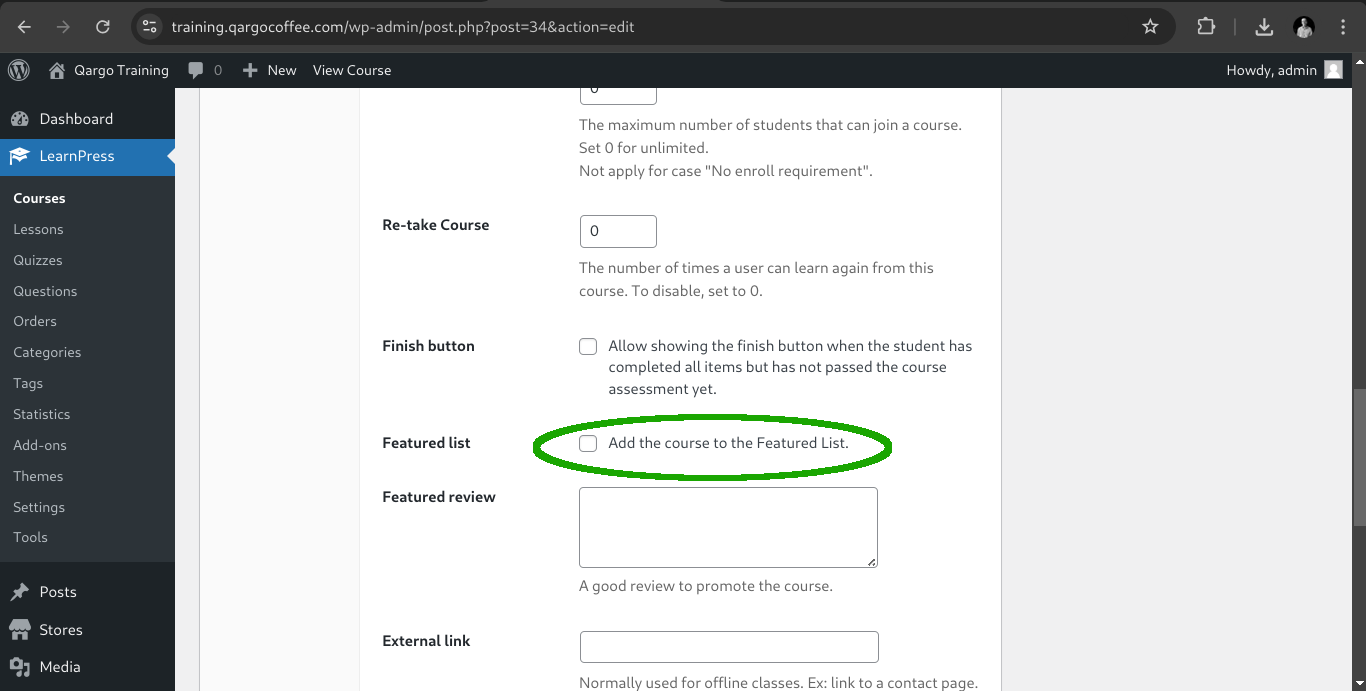
Everytime we want a course to appear on the home page, we check the featured list option
Course sections
Now we need to add the content for the course itself, so on the curriculum card we need to include the sections names and description to get something like this.
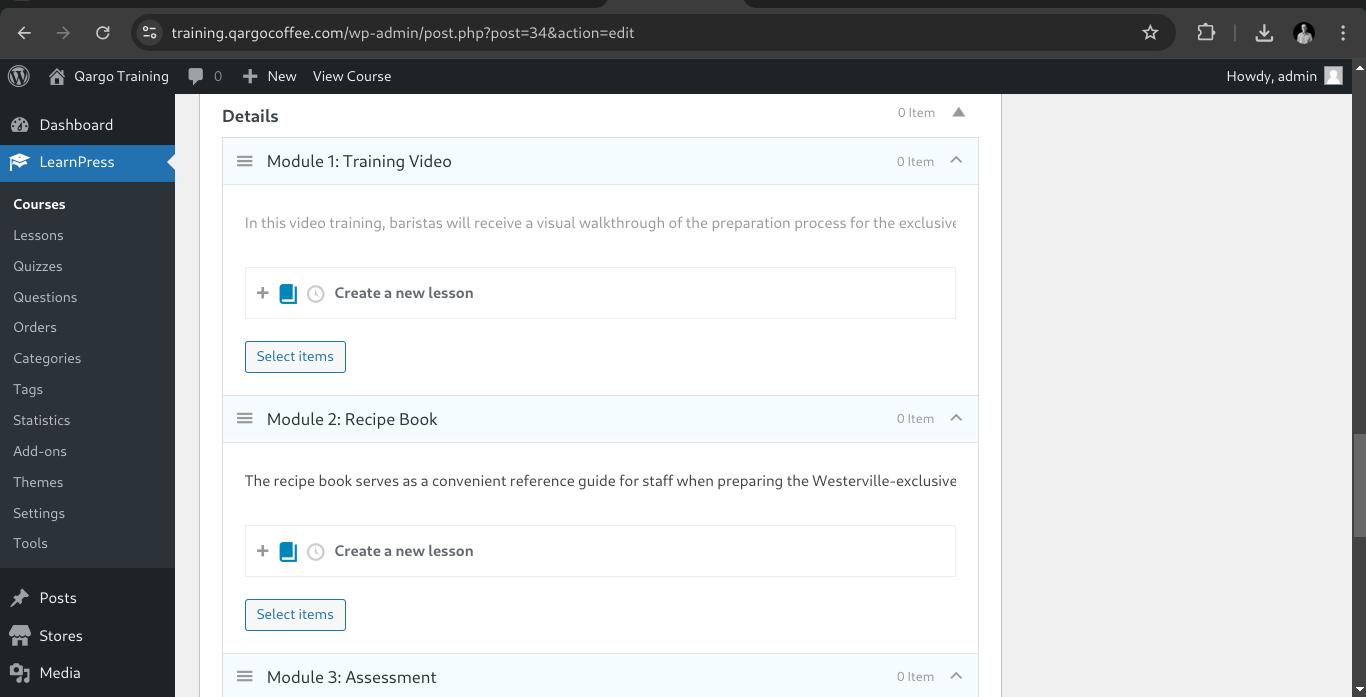
Notice that we only created the sections (Modules) names and descriptions but we need to create the lessons the lessons menu on the left, so first save our draft and then navigate to the lessons section.
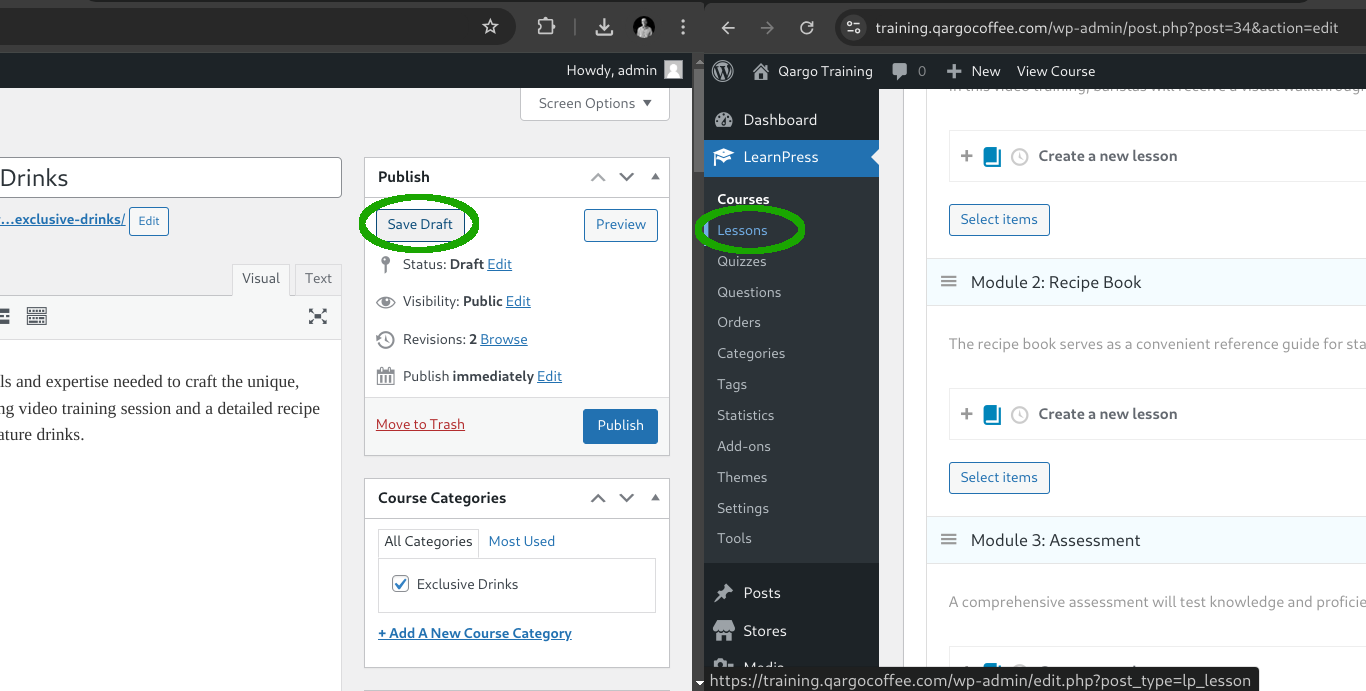
After saving our course basic information we are going to see how to create the lessons.